
FinImpulse provides flexible export tools that allow you to download market data directly from the platform. Exports are available across four places:
- Search Results: Accessible on the search assets page, for both direct search and screener results.
- AI Search Results: Available after generating results from an AI search session.
- My Watchlist: Supported for any individual watchlist.
- Historical Data: Available from the historical tab of any ticker details page.
The exported file includes all rows and columns as they appear in the table at the time of export, reflecting any applied filters, sorting, and column selections.
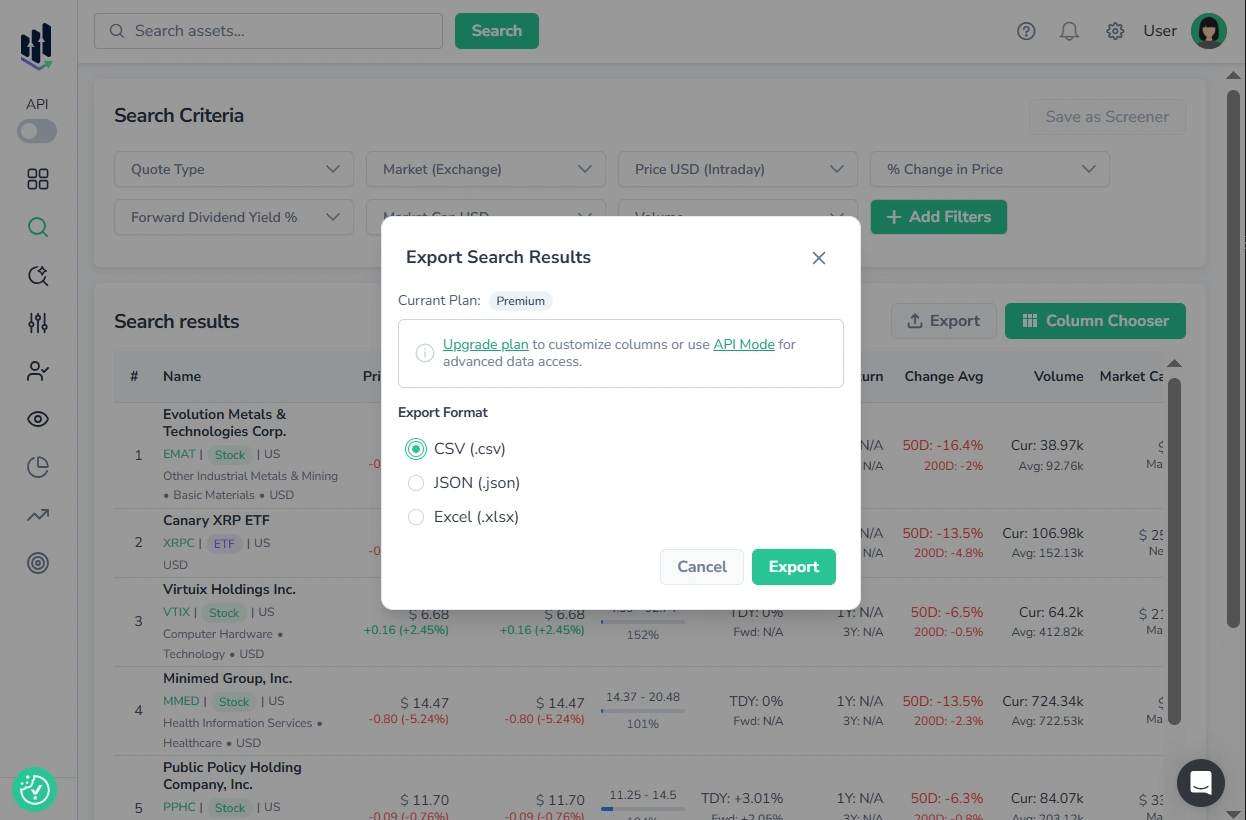
Export Dialog
Each section listed above includes an “Export” button for the corresponding table. Pressing it opens the export dialog, which is consistent across all sections and offers three file formats:
- CSV (.csv) — for spreadsheets, databases, and automation tools.
- JSON (.json) — for interoperability, APIs, and advanced data processing.
- Excel (.xlsx) — for data modeling, visualization, and reporting.
Need Full Data Access? Use the API
For users who require comprehensive dataset extraction, deep historical data, or automated workflows, FinImpulse provides a robust REST API. With the API, you can:
- Retrieve unlimited amounts of data with pagination
- Access the full historical depth of any supported dataset
- Automate data extraction for integration with BI tools and external systems
- Build custom pipelines for analysis and reporting
For more information, see the API Token Management and Security Guide and API Documentation.