
FinImpulse uses two independent billing models:
- Dashboard Subscription (user mode)
- API Usage Billing (API mode)
These billing types are managed separately.
Note: All payments are processed in accordance with the payment system’s policies.
1. Dashboard Subscription
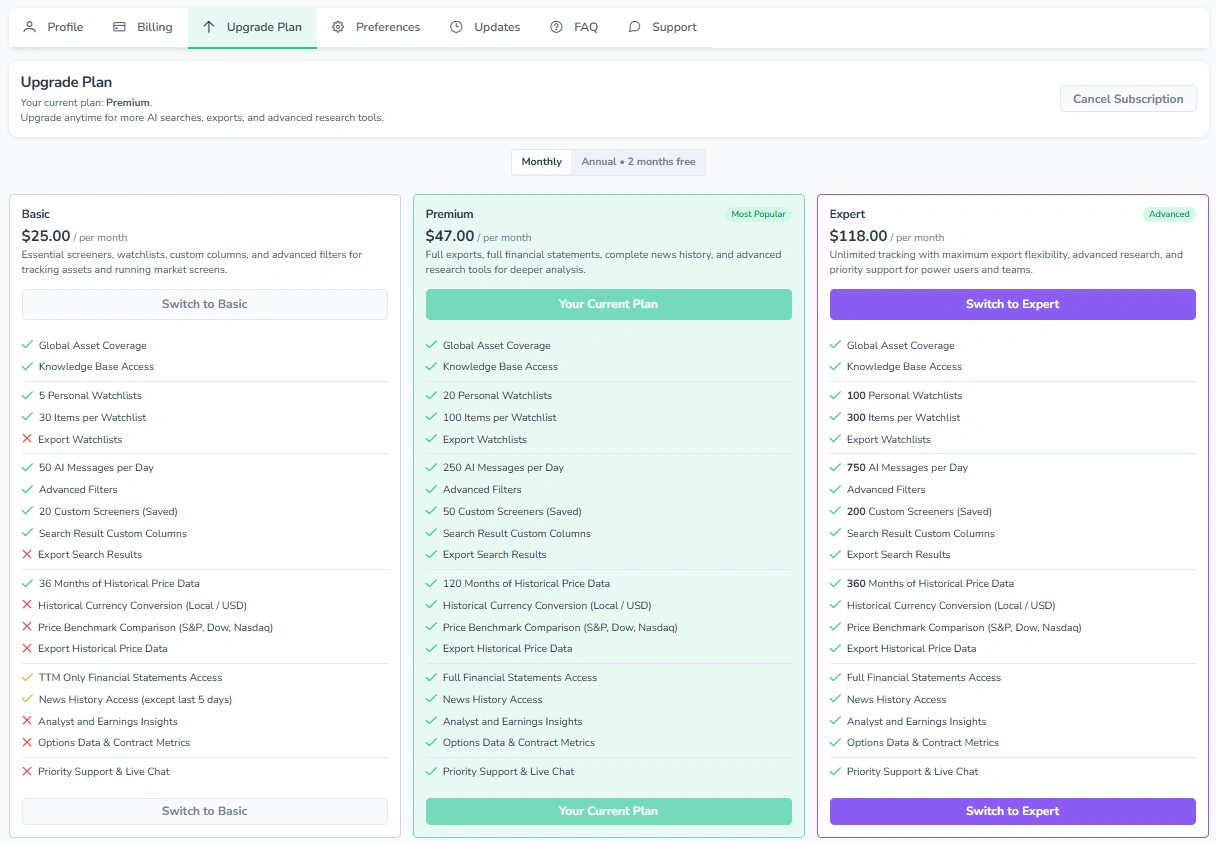
Dashboard subscription is managed across two pages: “Billing” and “Upgrade Plan”.
1.1. Billing
The “Billing” page provides an overview of the current plan, subscription details, next billing date, and payment history.
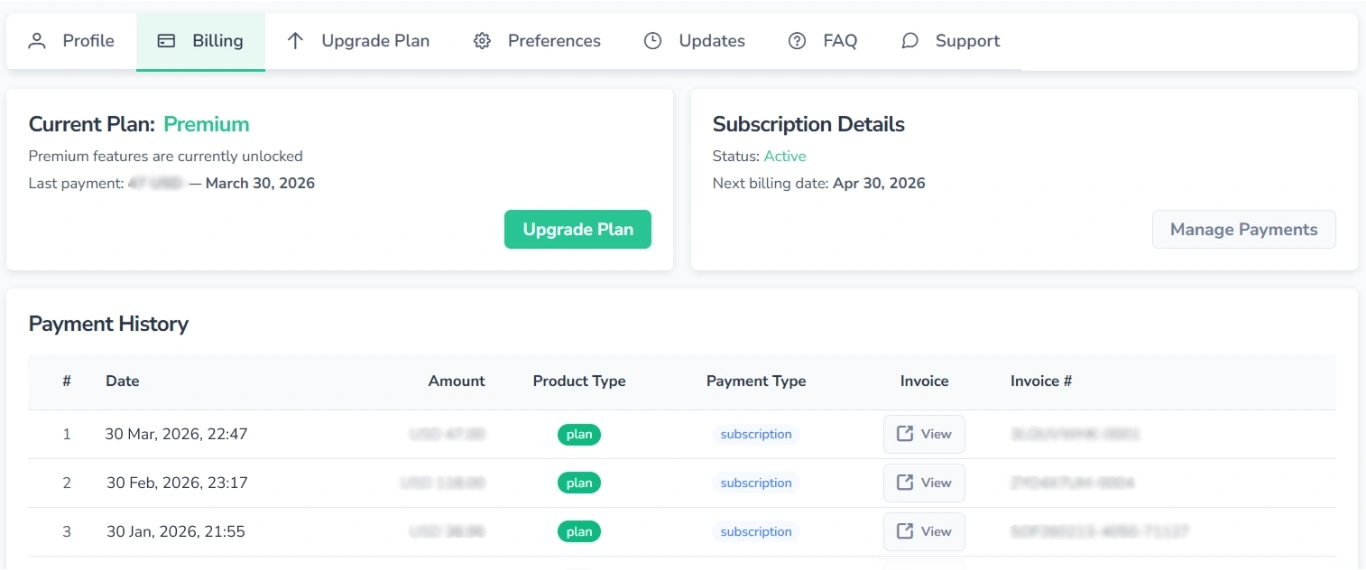
Use the “Manage Payments” button to update payment details.
1.2. Upgrade Plan
The “Upgrade Plan” page lists all available plans and allows switching between them. The subscription cancellation option is available here.
2. API Usage Billing
Payments for API usage are managed under “Profile” → “Billing” or under the “Payments” menu in API mode.
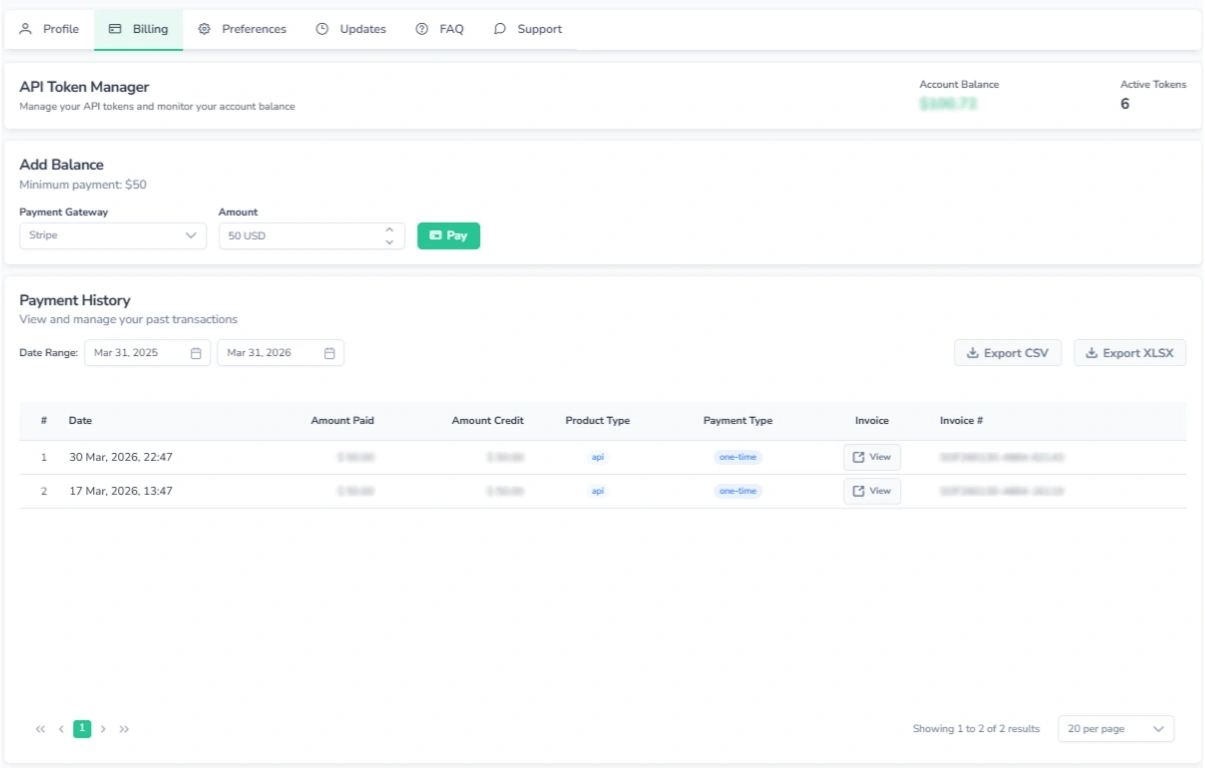
From this page, it is possible to:
- View the current account balance and the number of active tokens
- Top up the account balance
- View and export the payment history table
New accounts receive a $1 welcome credit for testing.
API requests are processed only while the balance remains positive. Usage is deducted according to the current pricing.
For instructions on managing tokens, refer to the API Settings Guide.
How to Add Funds
To top up the balance:
- Select a payment gateway.
- Enter the amount.
- Complete the payment.
API access resumes automatically once the balance is credited.
Note: All payments are processed solely by the payment system. FinImpulse does not store payment information or credits. For more details, refer to the Terms of Service.