FinImpulse API Sandbox: Testing Without Production Charges
A technical overview of the FinImpulse Sandbox environment, from token access to integration testing.

Integrating a financial data API requires significant exploratory work, including validating response schemas, testing request configurations, and debugging application logic. However, doing this against a production environment is costly and inefficient.
To address that directly, the FinImpulse API now includes a Sandbox environment that gives developers a dedicated space to work through the full integration process at no cost.
What Is the FinImpulse Sandbox
The FinImpulse Sandbox is a testing environment that allows developers to send requests to any FinImpulse API endpoint and receive structured responses at no cost. It is available to any registered user and does not require a separate plan or additional setup beyond retrieving the Sandbox API token.
All responses returned in the Sandbox contain dummy data. The data does not reflect real market values and should not be used for any analytical or business purposes. However, the structure and fields of every Sandbox response are identical to those of the production API response, making it a consistent and predictable environment for pre-production development.
How to Work with the FinImpulse Sandbox
The Sandbox uses the standard FinImpulse API base URL — api.finimpulse.com. No changes to the request structure, headers, or endpoint paths are required. The only difference between a Sandbox request and a production request is the API token used.
The Sandbox API token is a separate, fixed token available in the API Settings tab under API Mode in the FinImpulse dashboard.
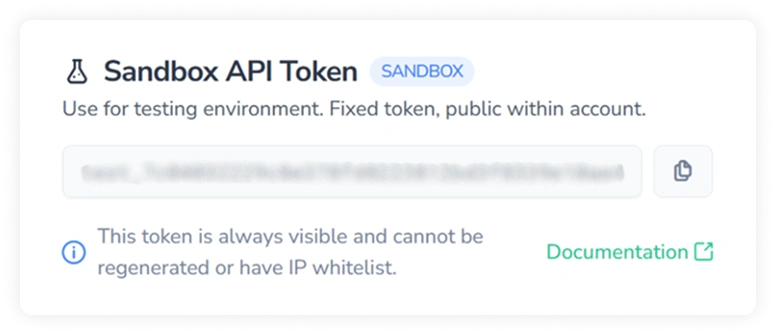
To send requests to the Sandbox, replace the production API token with the Sandbox API token in the Authorization header. No other changes to the request are required.
FinImpulse Sandbox Use Cases
The Sandbox can cover the core scenarios that arise during API integration, spanning initial setup through pre-production validation.
Request Format and Authentication
The Sandbox returns the same error codes and messages as production for malformed requests, missing required parameters, and invalid token configurations. Developers can verify that Authorization headers are correctly structured, required fields are present, and optional parameters — including filter expressions, sort configurations, and pagination parameters — are formatted correctly before live calls are made.
Response Parsing and Structure
The Sandbox returns responses with the same schema as production. This allows developers to verify that application code correctly reads field names, handles nested objects, and processes data types as expected — without making live API calls.
For endpoints that return mixed record types in a single array, such as the historical prices endpoint, the Sandbox allows validating that type-based routing logic is correctly implemented.
Pagination Logic
Some endpoints use token-based pagination via the ”search_after_token”. The Sandbox allows verifying that pagination is correctly implemented — including handling the case where the “search_after_token” is null, which indicates the final page has been reached.
Automated Testing Pipelines
The Sandbox can be used in CI/CD pipelines and automated test suites to validate request formatting and response parsing as part of the standard development workflow.
The Sandbox covers the full request-response cycle across all FinImpulse endpoints — from authentication and filter logic to pagination and response parsing. Once the integration is validated, switching to production requires only replacing the Sandbox token with the production API token.