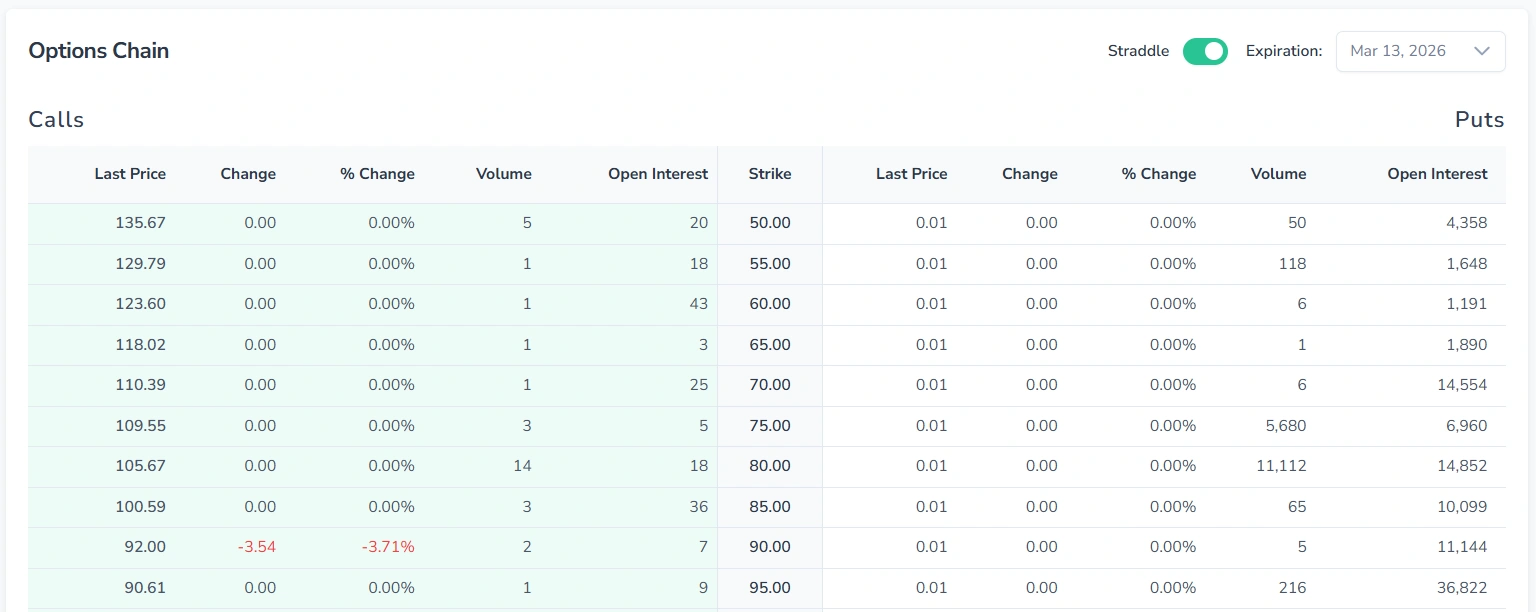
The Options tab in FinImpulse displays the full options chain for the selected ticker.
By default, it includes two tables — Calls and Puts. They show all available contracts with the nearest expiration date.
1. Calls/Puts Table Overview
Each row in the table represents a single options contract. Each table includes the following data points: Contract Name, Last Trade Date, Strike, Last Price, Bid, Ask, Change, % Change, Volume, Open Interest, and Implied Volatility.
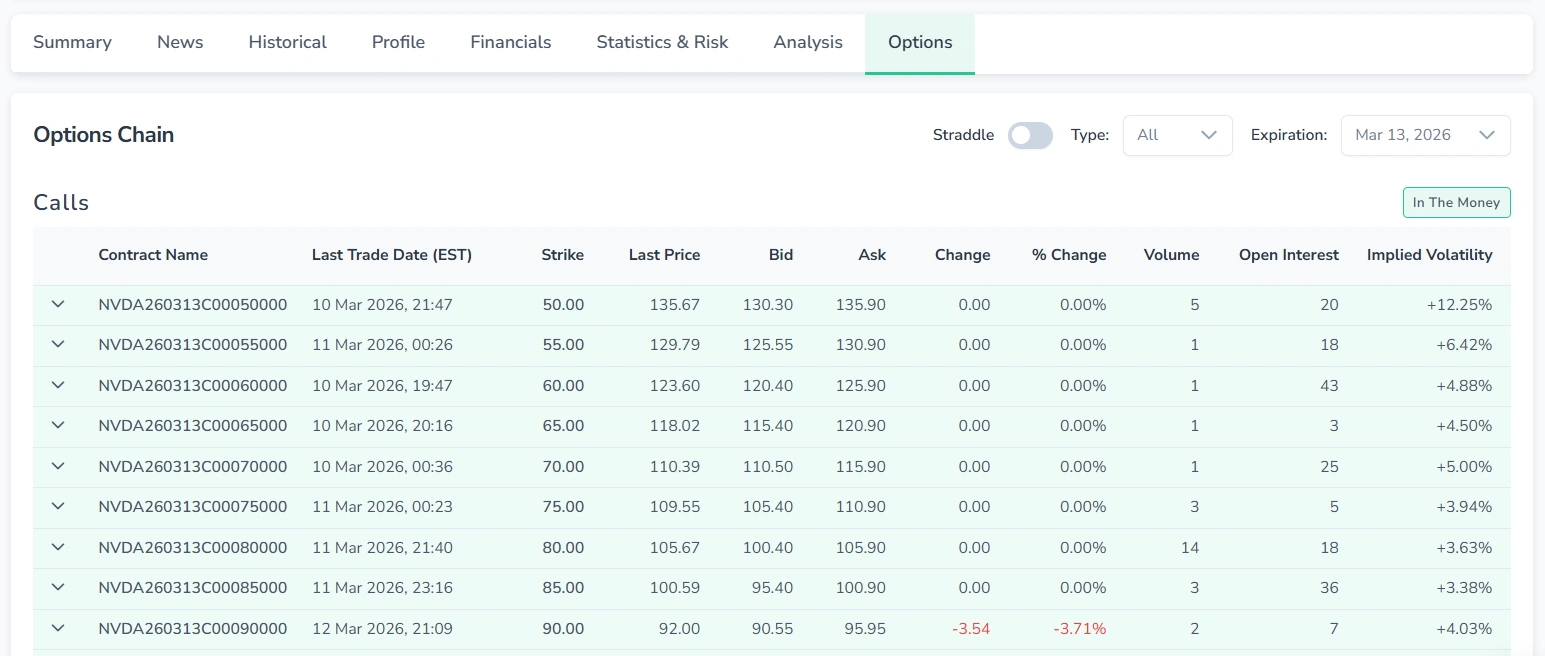
Rows highlighted in green indicate “In The Money” contracts — options that currently have intrinsic value and would be profitable to exercise at the current market price.
Note that both tables are automatically sorted by Strike price in ascending order.
1.1. Expanding a Contract Row
The expanded row displays the option Greeks — sensitivity metrics that describe how the contract’s price responds to changes in market conditions.
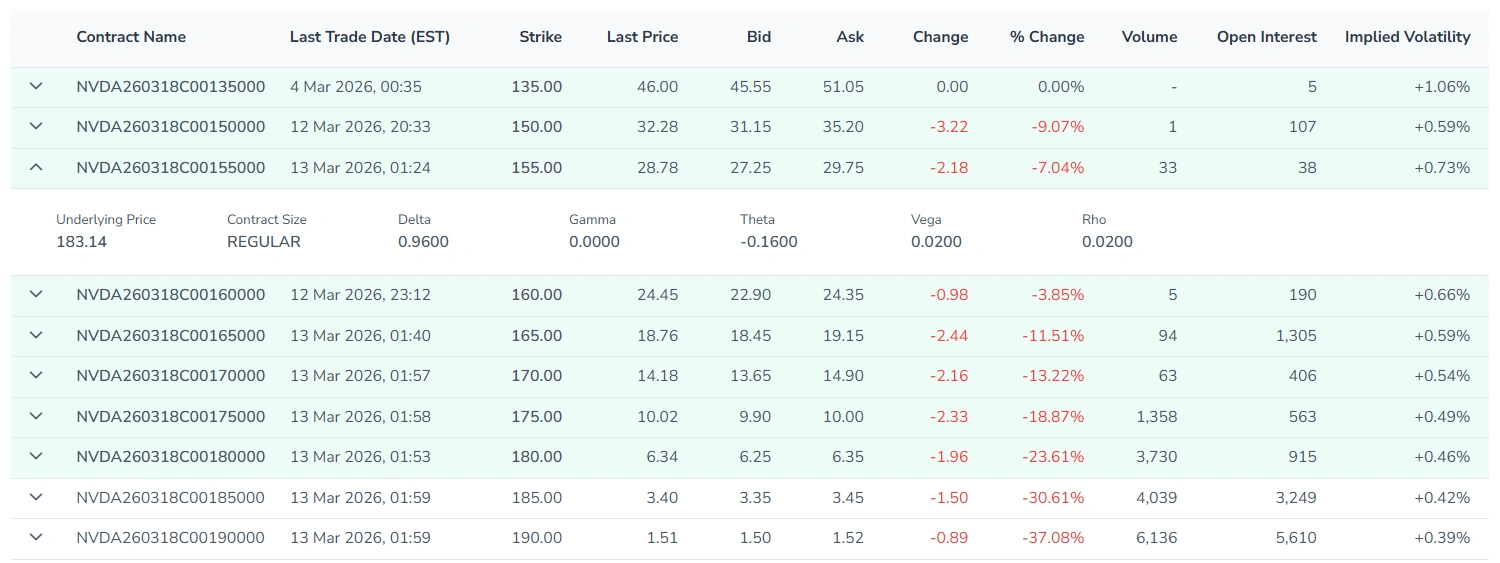
To expand a contract row, press it. To collapse, press it again.
2. Customizing the View
The options chain view can be adjusted using three controls in the top-right corner.
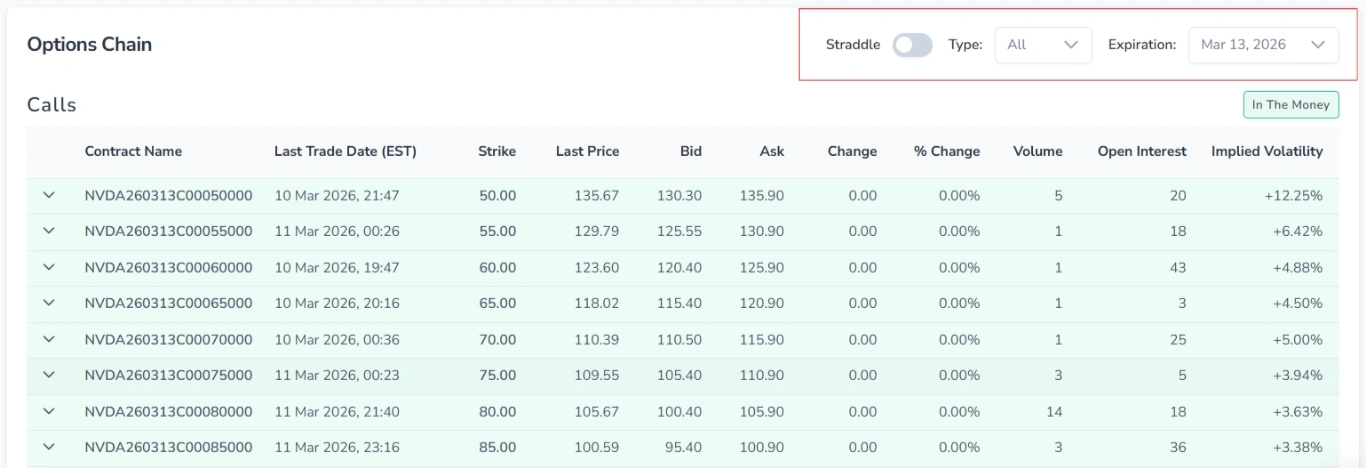
2.1. Expiration Date
Use the Expiration dropdown to filter the options chain by contract expiration date. Both tables update automatically to reflect contracts expiring on the selected date.
2.2. Type
The Type selector allows you to choose which tables are displayed on the page:
- Calls — shows the Calls table only
- Puts — shows the Puts table only
- Both — shows both tables (default)
2.3. Straddle
The Straddle toggle switches the page layout from two separate tables to a combined side-by-side view, where Calls and Puts for the same strike price are displayed on the same row.