

The News tab consolidates all news and press releases for the selected asset.
1. Filter News
You can filter news by:
- Type (News, Press Releases, All)
- Start/End Date
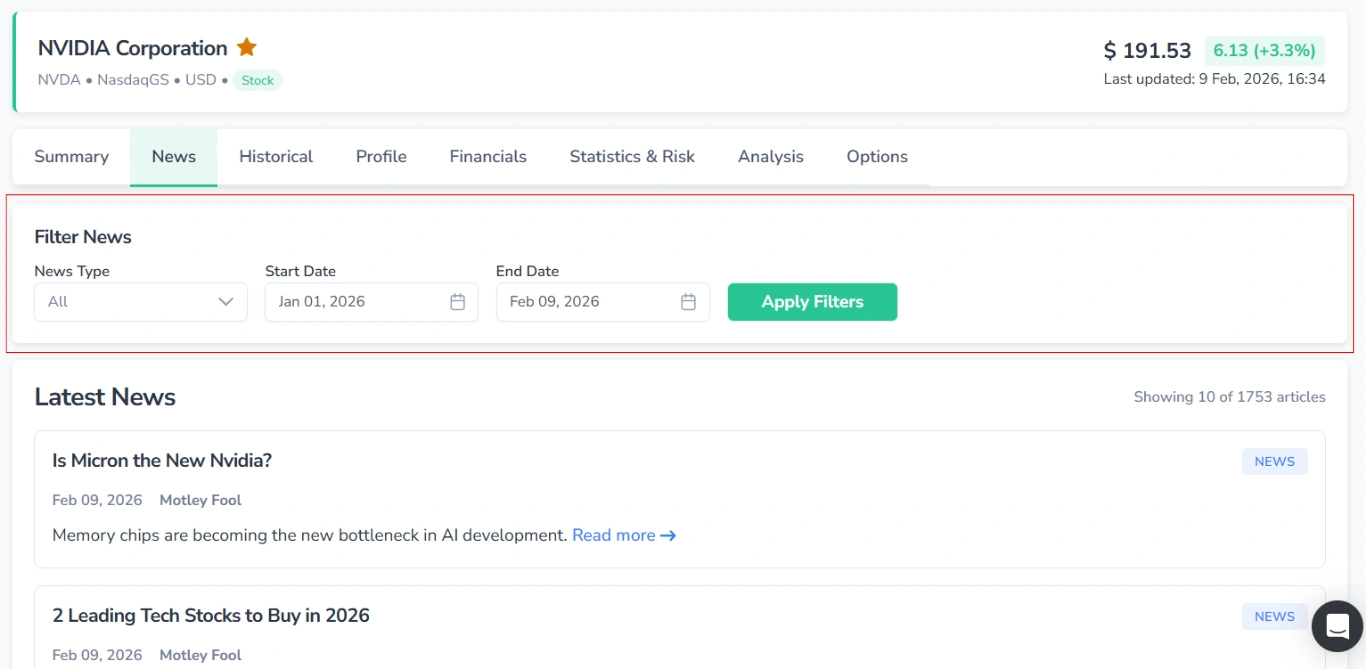
Press Apply Filters to update the results.
2. Latest News
Here, you can view all news that matches the specified filters. They are displayed in reverse chronological order, with the most recent appearing first.
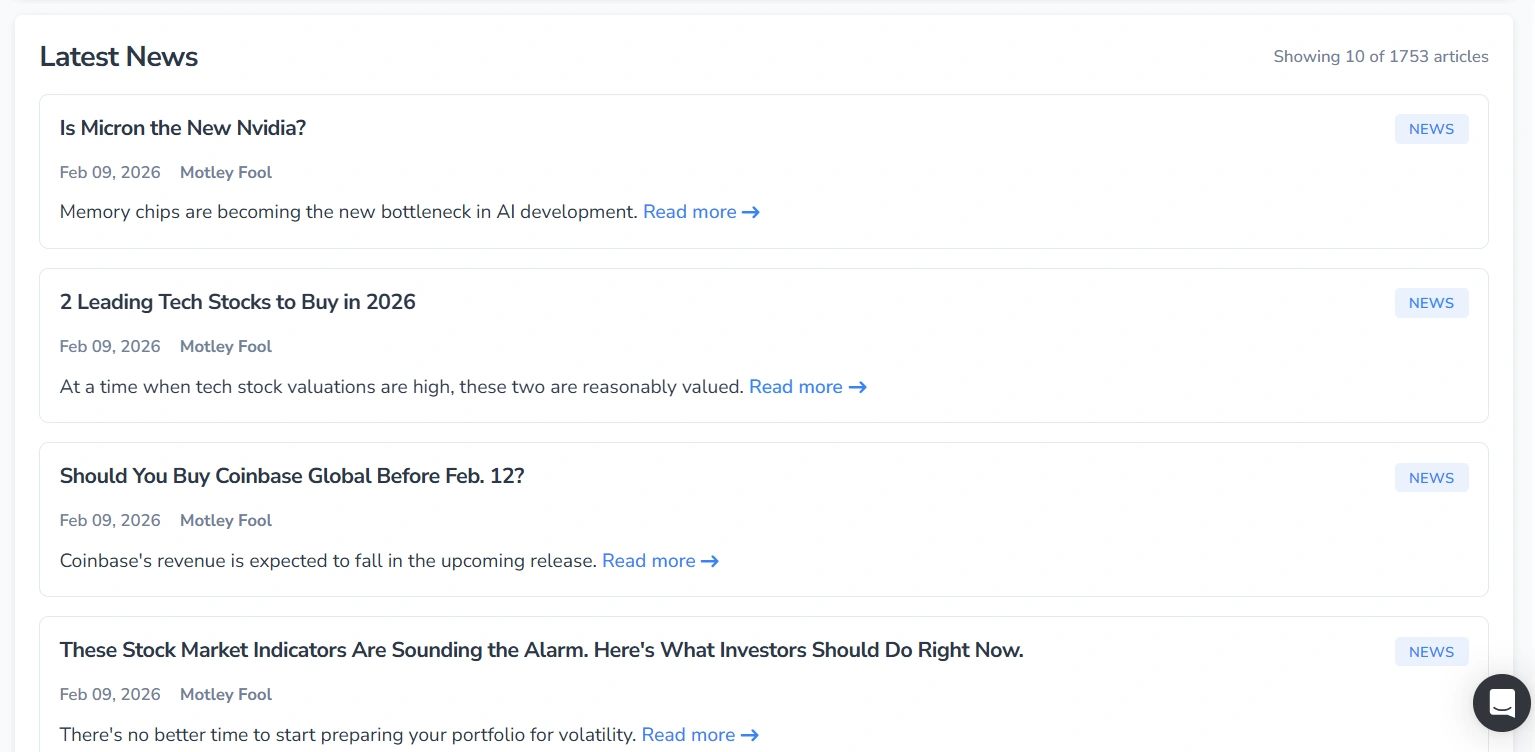
Each news item is displayed as an individual card.
When there are many news items for an asset, use the pagination controls at the bottom of the page.
2.1. Available Actions
Clicking a news item’s title or the “Read more →” link opens a pop-up window displaying the news card.
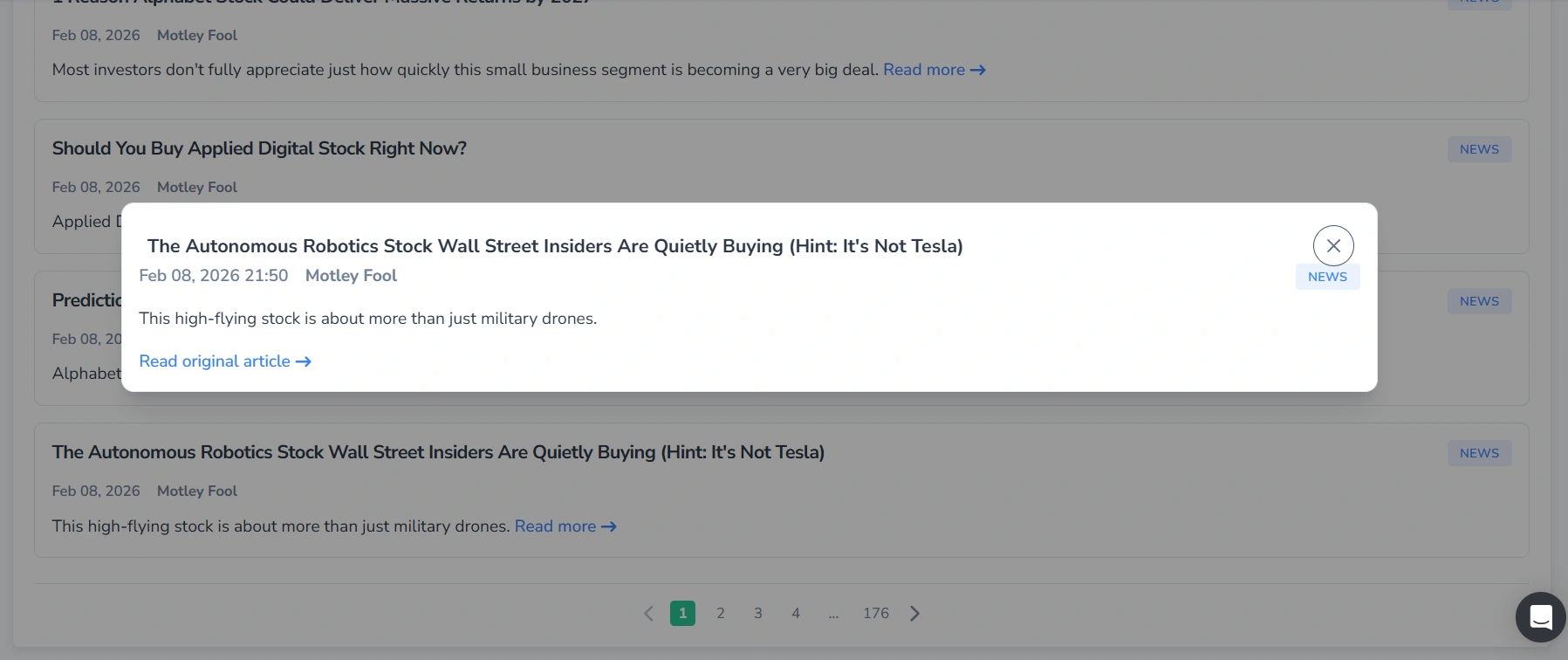
Within the pop-up, you can access the original article via the “Read original article →” link.
2.2. No News Available
If no public news is available for the selected asset, or if the specified filters return no results, the “No News Available” message will be displayed.